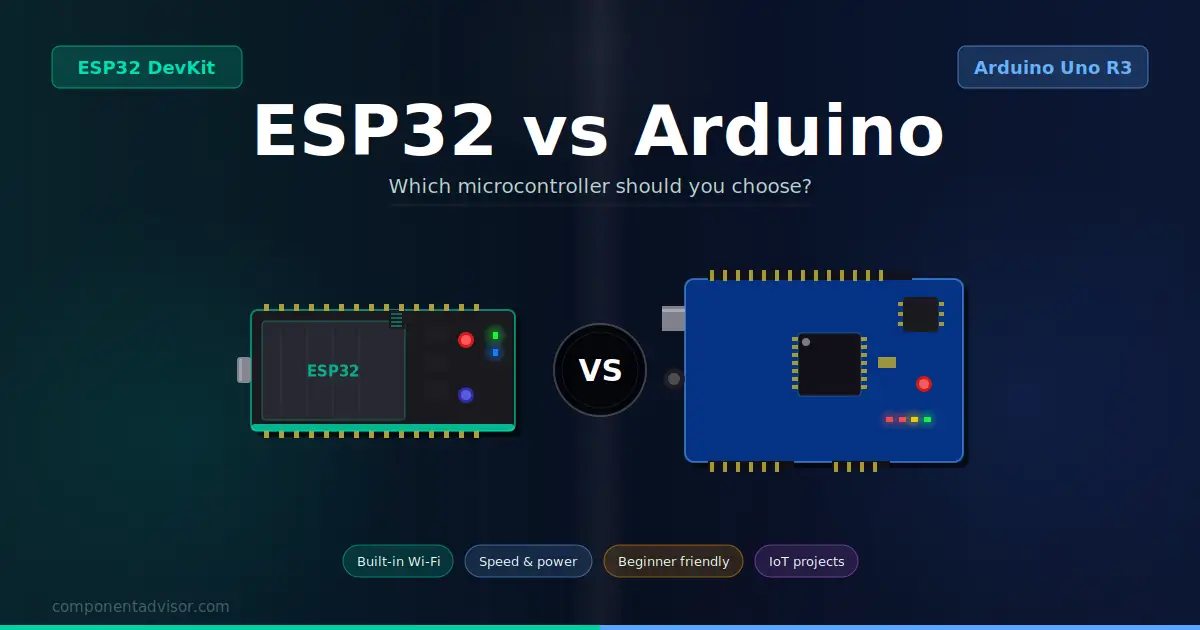
ESP32 vs Arduino is one of the most common questions in the microcontroller world, and for good reason. Both platforms are excellent and beginner-friendly, but they are built for different things, and choosing the wrong one wastes time and money.
Both platforms are excellent. Both are beginner-friendly. Both use the Arduino IDE. But they are built for different things, and choosing the wrong one for your project wastes time and money.
This article breaks down the real differences between ESP32 and Arduino, explains which one suits which type of project, and gives you a clear answer based on what you actually want to build.
What Is Arduino?
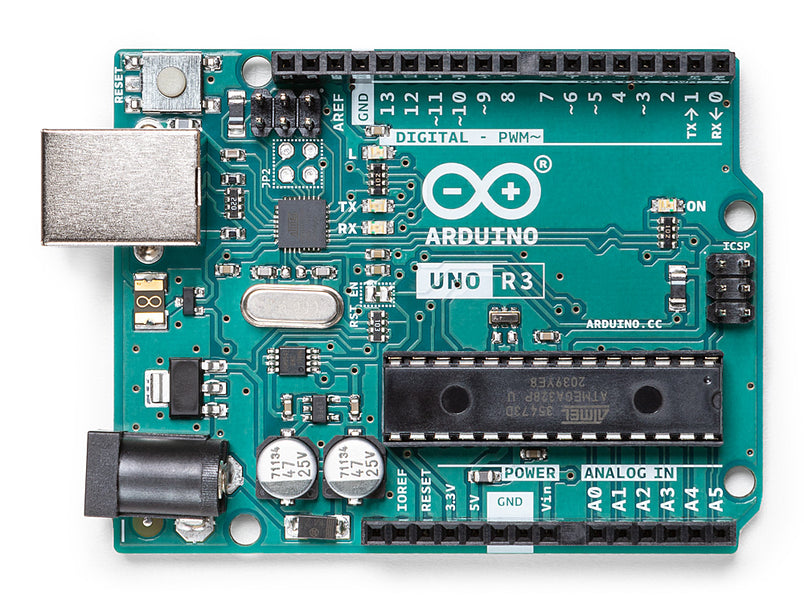
Arduino is a microcontroller platform originally designed for students, artists, and beginners who have no electronics background. The first Arduino board launched in 2005, and the ecosystem has grown into the most popular hardware platform for hobbyists and makers worldwide.
The most common Arduino board is the Arduino Uno R3, which is based on the ATmega328P chip. It runs at 16MHz, has 2KB of RAM, and 32KB of flash storage. By modern standards, those are modest specs, but they are more than enough for a huge range of projects: controlling LEDs, reading sensors, driving motors, making sound, and building interactive gadgets.
Arduino’s biggest strength is simplicity. The documentation is excellent, the community is enormous, and almost every sensor and module you can buy comes with an Arduino tutorial. If something can go wrong, someone has already written about how to fix it.
If you’ve never used Arduino before, this beginner’s guide on ArduinoYard walks you through your first setup, from installing the software to uploading your first sketch.
What Is ESP32?

ESP32 is a microcontroller chip made by Espressif Systems, first released in 2016. It was designed from the ground up to be a connected device platform, meaning Wi-Fi and Bluetooth are built into the chip itself, not added as separate modules.
The standard ESP32 chip runs dual-core at 240MHz, has 520KB of RAM, and typically comes on boards with 4MB of flash storage. That’s significantly more powerful than an Arduino Uno on every metric.
Like Arduino, ESP32 is programmed using the Arduino IDE with an additional board package installed. The syntax is nearly identical. If you already know how to write Arduino code, you can write ESP32 code almost immediately.
ESP32 vs Arduino: Key Differences at a Glance
| Feature | Arduino Uno R3 | ESP32 |
|---|---|---|
| CPU Speed | 16MHz (single core) | 240MHz (dual core) |
| RAM | 2KB | 520KB |
| Flash | 32KB | 4MB (typical) |
| Wi-Fi | No (needs shield) | Built-in |
| Bluetooth | No (needs shield) | Built-in (Classic + BLE) |
| Operating Voltage | 5V | 3.3V |
| GPIO Pins | 14 digital, 6 analog | 30–38 depending on board |
| ADC Resolution | 10-bit | 12-bit |
| Price | ~$25 official, ~$5 clone | ~$5–10 |
| Power Consumption | Higher | Lower (with deep sleep) |
| Community Size | Enormous | Large and growing |
| Beginner Friendliness | ⭐⭐⭐⭐⭐ | ⭐⭐⭐⭐ |
Specs comparison (log scale)
Log scale used — ESP32 advantages are even larger in real terms
Processing Power
The ESP32 wins this comparison by a wide margin. A dual-core 240MHz processor against a single-core 16MHz chip is not a close race. In practical terms, the ESP32 can handle tasks that would completely overwhelm an Arduino Uno: processing image data, running a web server while reading sensors simultaneously, handling multiple communication protocols at once, or running basic machine learning inference.
For most beginner projects, this extra power is unnecessary. Blinking LEDs, reading a temperature sensor, and controlling a servo motor don’t require a dual-core 240MHz processor. The Arduino Uno handles these tasks just fine.
Where the difference becomes real is when your projects grow in complexity. Running a Wi-Fi connection and reading multiple sensors at the same time on an Arduino Uno is difficult and often unstable. On an ESP32, it’s a standard beginner project.
Winner: ESP32 but the Arduino Uno has more than enough power for the majority of beginner projects.
Built-in Wi-Fi and Bluetooth
This is the most significant practical difference between the two platforms.
On Arduino, adding Wi-Fi requires a separate shield or module, the most common being the ESP8266 Wi-Fi module. This adds cost, complexity, and wiring. Bluetooth requires its own module too. Each addition means more components, more power draw, and more potential points of failure.
On ESP32, Wi-Fi 802.11 b/g/n and Bluetooth 4.2 (Classic and BLE) are built into the chip. There is nothing to add, nothing to wire, and no extra cost. You call a library function, pass your network credentials, and you’re connected.
For any project that involves sending data over a network, controlling something remotely, connecting to a smartphone, logging data to the cloud, or building any kind of smart device, ESP32 is the practical choice simply because wireless connectivity is built in.
Winner: ESP32 and there is no contest here for wireless projects.
Ease of Use for Beginners
This is where Arduino still holds a genuine advantage.
The Arduino Uno has been the go-to beginner board for nearly two decades. The result is an unmatched depth of learning resources: beginner books, YouTube channels, online courses, forum threads, and documented solutions to every problem you might encounter. If you get stuck, you will find an answer.
ESP32 has a large and growing community, but it’s younger. Documentation is generally good, but slightly less polished in places. Some older Arduino tutorials don’t translate directly to ESP32 without minor adjustments. The 3.3V operating voltage catches beginners out when connecting 5V Arduino sensors and modules.
There’s also the matter of driver setup. Getting an ESP32 board recognized by the Arduino IDE requires installing a board package and sometimes USB drivers, a process that’s straightforward but has more steps than plugging in an Arduino Uno which is usually recognized automatically.
Winner: Arduino and for absolute beginners with no prior experience, Arduino’s resources and simplicity give it the edge.
Voltage: 5V vs 3.3V
This is a practical difference that catches many beginners when moving from Arduino to ESP32.
The Arduino Uno operates at 5V logic. Most basic sensors, modules, and components you find in beginner kits are designed for 5V and work plug-and-play with an Arduino.
The ESP32 operates at 3.3V logic. Its GPIO pins output 3.3V and should not receive 5V input signals, as doing so can permanently damage the chip. When connecting 5V sensors or modules to an ESP32, you often need a logic level converter to step the voltage down safely.
This isn’t a dealbreaker, but it is something to be aware of. Most modern sensors are available in both 5V and 3.3V versions, and many modules (like I2C displays) work fine at 3.3V. But if you have an existing collection of Arduino components, some may need a logic level converter before they’ll work reliably with ESP32.
Winner: Arduino for direct compatibility with the widest range of off-the-shelf components.
Power Consumption
For projects powered by a USB cable or a wall adapter, power consumption doesn’t matter much. But for battery-powered projects, it becomes critical.
The Arduino Uno draws around 40–50mA in normal operation. There is no meaningful low-power mode.
The ESP32 draws more in active operation, around 80–240mA depending on what’s running. But it has a deep sleep mode that drops consumption to as low as 10 microamps. This makes it possible to build a battery-powered sensor that wakes up every hour, takes a reading, sends it over Wi-Fi, and goes back to sleep, running for months on a small LiPo battery.
For battery-powered wireless projects, ESP32’s deep sleep capability makes it the clear choice. For USB-powered bench projects, the difference is irrelevant.
Winner: ESP32 for battery-powered applications, particularly wireless sensor nodes.
Price
This one has changed significantly over the years.
The official Arduino Uno R3 costs around $25. Third-party compatible clones are available for $5–10 and work identically for learning purposes.
ESP32 development boards cost $5–10 on average for popular options like the HiLetgo DevKit. For equivalent functionality (a microcontroller with Wi-Fi and Bluetooth), ESP32 is significantly cheaper than an Arduino Uno with a Wi-Fi shield added.
For raw board price, ESP32 wins. For the official Arduino brand experience and documentation, you pay more.
Winner: ESP32 for better specs at a lower price point than a comparably equipped Arduino setup.
Which Should You Choose?
Which should you choose? Follow the flowchart
Here’s the honest answer based on what you want to build:
Choose Arduino if:
- You are a complete beginner with no prior electronics or coding experience and want the most guided learning path available
- Your projects don’t need Wi-Fi or Bluetooth
- You are working with existing 5V components and don’t want to deal with voltage conversion
- You are teaching someone else and want maximum tutorial availability
- Your projects are simple: controlling motors, reading sensors, driving displays
The Arduino Uno R3 is still the best first board for absolute beginners. The learning resources are unmatched.
Choose ESP32 if:
- Your projects involve Wi-Fi, Bluetooth, or any form of wireless communication
- You want to build IoT devices, smart home sensors, or cloud-connected gadgets
- You are battery-powering a project and need deep sleep capability
- You are already comfortable with Arduino basics and want more power and features
- You want better specs for less money
The ESP32 DevKit is the natural step up once you’ve covered Arduino basics, or a great starting point if you already know you want to build wireless projects.
Start with Arduino, then move to ESP32
For most people who are genuinely new to electronics, this is the recommended path:
Month 1–2: Learn the basics on an Arduino Uno. Understand GPIO, digital and analog I/O, sensors, serial communication, and basic libraries. The structured learning materials and forgiving 5V environment make this the fastest way to build a solid foundation.
Month 3 onwards: Move to ESP32. Everything you learned on Arduino transfers directly. You now have Wi-Fi, Bluetooth, more power, and more pins, and you have the foundation to use them effectively.
An Arduino starter kit for the first phase and an ESP32 starter kit for the second gives you a complete learning path from first LED to connected IoT device.
Can You Use ESP32 with the Arduino IDE?
Yes, completely. This is one of the best things about ESP32 for anyone coming from the Arduino world.
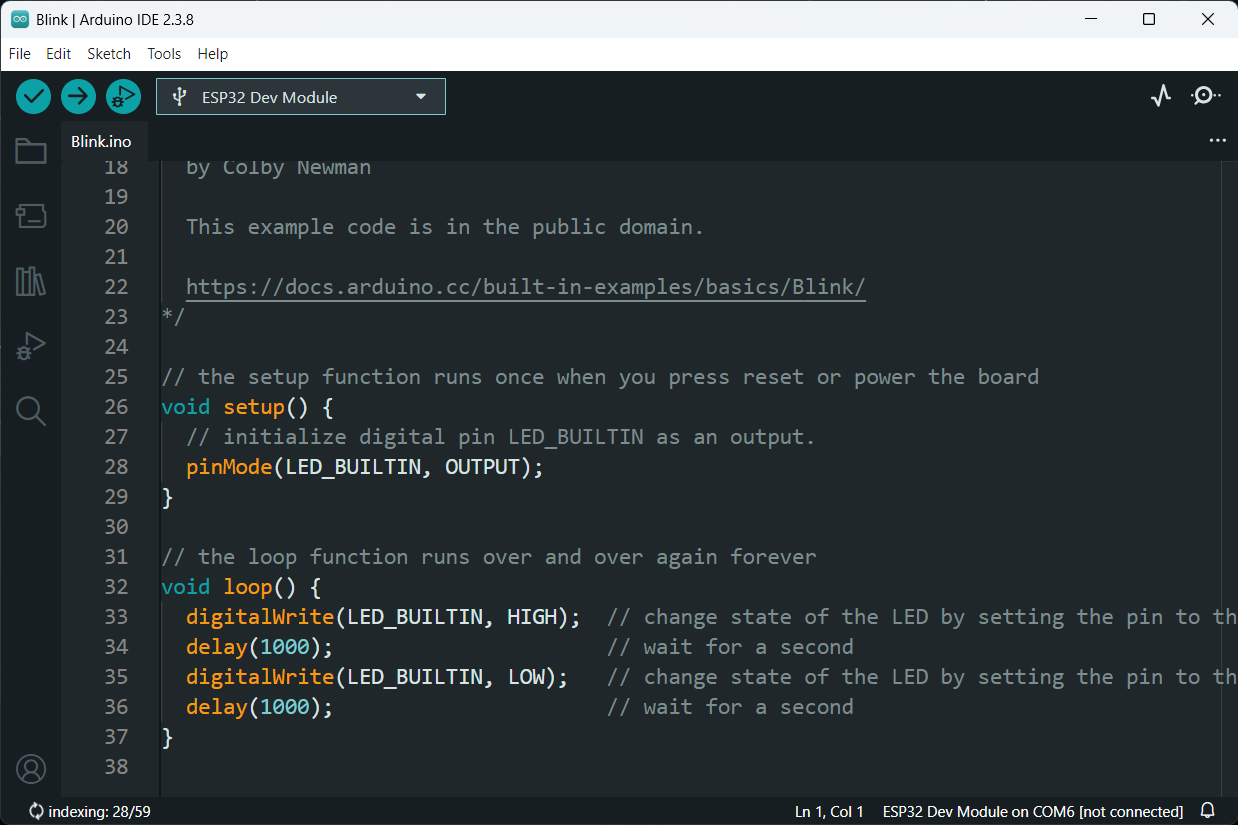
After installing the ESP32 board package in the Arduino IDE, you can write and upload sketches using exactly the same syntax. digitalWrite(), analogRead(), Serial.begin(), delay() and all standard Arduino functions work identically on ESP32.
The main difference is that ESP32 adds its own libraries for Wi-Fi, Bluetooth, and other built-in features. These are included with the board package and have straightforward, well-documented APIs.
After installing the ESP32 board package in the Arduino IDE, you can write and upload sketches using exactly the same syntax. If you need a step-by-step walkthrough, ArduinoYard has a full guide on how to install ESP32 boards in the Arduino IDE that covers drivers, board manager setup, and your first upload.
Common Misconceptions
“ESP32 is harder to learn than Arduino.” The hardware setup has a few more steps, but the programming experience is nearly identical. If you know Arduino, ESP32 code will look familiar within minutes.
“Arduino is outdated.” Arduino continues to release new boards, including the Arduino Uno R4 with improved specs and built-in Wi-Fi. The platform is actively developed and still the best starting point for complete beginners.
“ESP32 can fully replace Arduino.” For most hobbyist use cases, yes. But Arduino’s 5V compatibility, simpler setup, and deeper beginner documentation still give it advantages in specific situations, particularly in education and for beginners who want the most guided experience possible.
“You have to choose one or the other.” Many experienced hobbyists use both. Arduino for quick prototypes and 5V component testing, ESP32 for anything involving wireless communication or more complex logic.
Final Verdict
Both platforms are excellent and neither is going away. The choice comes down to your project requirements, not which platform is objectively better.
For beginners: Start with Arduino. The learning path is smoother and the resources are unmatched.
For wireless and IoT projects: ESP32 is the practical choice. Built-in Wi-Fi and Bluetooth at a low price point make it hard to justify anything else.
For most hobbyists: Own both. They complement each other rather than compete.
Ready to get started? See our guides to the best Arduino boards for beginners, best Arduino starter kits, best ESP32 development boards, and best ESP32 starter kits to find the right starting point for your goals.