
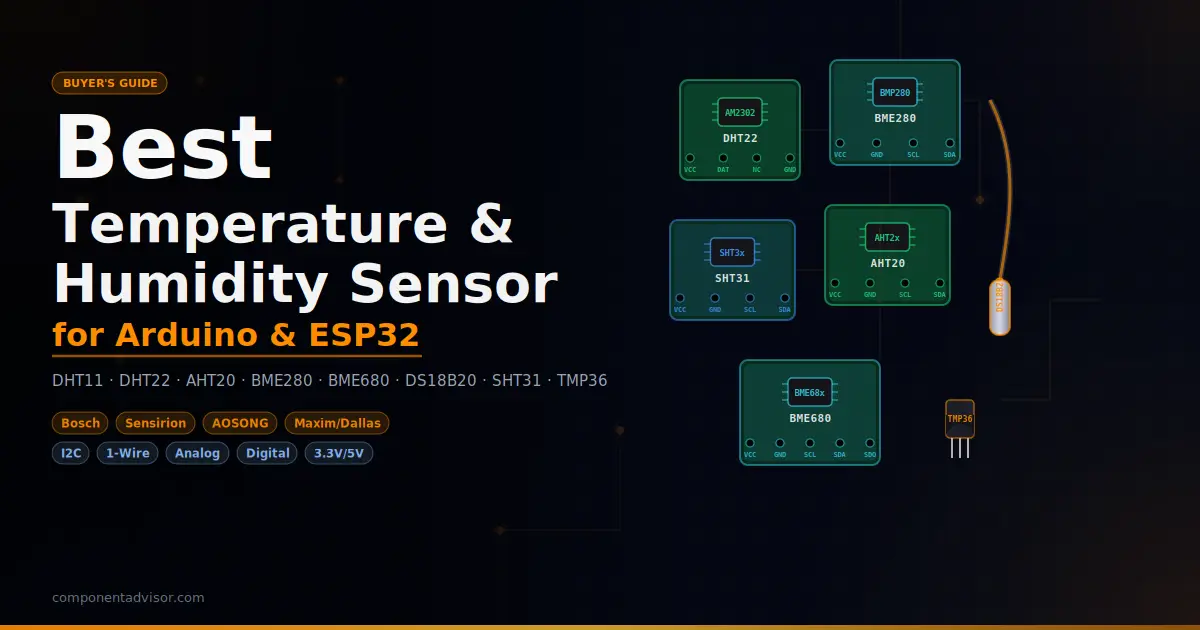
Choosing the best temperature and humidity sensor for Arduino projects sounds simple until you’re staring at eight different options on Amazon and have no idea which one actually matters for what you’re building. The DHT11 and BME280 get mentioned constantly, but they’re not always the right call, and some sensors that don’t get nearly as much attention are genuinely better for certain jobs.
This guide covers the eight most useful temperature and humidity sensors for Arduino, ESP32, and Raspberry Pi projects. For each one, you’ll get the real specs, what it’s actually good at, and where it falls short. There’s also a full breakdown of communication protocols, a comparison table, and a decision guide by project type, so by the end you’ll know exactly which sensor to buy, not just which one is popular.
Looking for more project hardware? Check out our guides to the Best Arduino Starter Kits and the Best ESP32 Development Boards on ComponentAdvisor.
Quick Comparison Table
| Sensor | Type | Measures | Protocol | Temp Range | Temp Accuracy | Humidity Accuracy | Best For |
|---|---|---|---|---|---|---|---|
| DHT11 | Digital | Temp + Humidity | Single-wire | 0–50°C | ±2°C | ±5% RH | First projects, learning |
| DHT22 | Digital | Temp + Humidity | Single-wire | -40–80°C | ±0.5°C | ±2% RH | Budget builds needing accuracy |
| AHT20 | Digital | Temp + Humidity | I2C | -40–85°C | ±0.3°C | ±2% RH | Modern DHT replacement |
| BME280 | Digital | Temp + Humidity + Pressure | I2C / SPI | -40–85°C | ±0.5°C | ±3% RH | Weather stations |
| BME680 | Digital | Temp + Humidity + Pressure + Gas | I2C / SPI | -40–85°C | ±1°C | ±3% RH | Air quality monitoring |
| DS18B20 | Digital | Temp only (waterproof) | 1-Wire | -55–125°C | ±0.5°C | N/A | Outdoor, liquid, multi-sensor |
| SHT31 | Digital | Temp + Humidity | I2C | -40–125°C | ±0.3°C | ±2% RH | High-accuracy builds |
| TMP36 | Analog | Temp only | Analog | -40–125°C | ±2°C | N/A | Learning analog sensing |
1. Best Entry-Level Sensor: DHT11
DHT11 Temperature and Humidity Sensor Module
Best for: Total beginners who want to see temperature and humidity data on a screen as fast as possible.

The DHT11 is almost certainly the first sensor you’ll encounter in any Arduino course or starter kit, and that’s not an accident. It’s cheap, it needs only three wires, and there are thousands of working code examples online. You don’t have to think about I2C addresses, pull-up resistors, or communication buses. You connect it, load the Adafruit DHT library, and you’re reading temperature and humidity in under ten minutes.
That said, the DHT11 is the sensor you start with, not the one you stick with. The accuracy is rough: ±2°C on temperature and ±5% on humidity, and the range tops out at 50°C and 90% RH, which means it’s useless outdoors in winter or in high-humidity environments like a bathroom or greenhouse. It can only take a new reading once per second, and some units become unreliable after a year or two of continuous use. None of that matters if you’re learning the basics. It matters a lot if you’re actually trying to monitor anything.
Specifications:
- Temperature range: 0–50°C
- Temperature accuracy: ±2°C
- Humidity range: 20–90% RH
- Humidity accuracy: ±5% RH
- Protocol: Single-wire digital
- Operating voltage: 3.3V–5V
- Sampling rate: 1 reading/second
Why it stands out:
- Cheapest way to get temp + humidity into a project
- Works with 3.3V and 5V, no level shifter needed for ESP32
- Enormous amount of documentation and tutorials online
- Libraries available for Arduino IDE, MicroPython, and CircuitPython
Things to keep in mind:
- Accuracy is too poor for anything beyond basic display projects
- Temperature range of 0–50°C rules out sub-zero applications
- Can produce intermittent read failures without warning
- A 10kΩ pull-up resistor is required if using bare sensor (not module)
Verdict: The DHT11 earns its place as a first sensor, full stop. ArduinoYard has a full DHT11 with Arduino tutorial if you want a wiring diagram and working code to get started. If you’re building something you actually plan to rely on, though, spend a few extra dollars on the DHT22 or AHT20 instead.
2. Best Budget Sensor with Real Accuracy: DHT22
DHT22 / AM2302 Temperature and Humidity Sensor Module
Best for: Hobbyists who want better accuracy than the DHT11 without jumping to a more complex sensor.

The DHT22 (also sold as the AM2302) is the DHT11’s bigger sibling. Same single-wire protocol, same library, same three-wire wiring. The code difference is literally one line, changing DHTTYPE from DHT11 to DHT22. But the specs are noticeably better: ±0.5°C temperature accuracy, ±2% humidity accuracy, and a range that drops down to -40°C, which makes it usable in real outdoor conditions.
For a lot of projects, like a weather station, a grow tent monitor, or a home automation humidity trigger, the DHT22 is perfectly adequate. It’s not the most reliable sensor in the world (DHT sensors in general have a reputation for occasional read failures and gradual drift over years of use), and the 2-second minimum between readings can be limiting in fast-feedback applications. But at its price point, it gives you solid numbers for everyday environmental monitoring without requiring you to learn I2C.
Worth noting: in practice, DHT22 humidity readings can drift by 3–5% from the datasheet spec, especially at higher temperatures and above 80% RH. The ±2% figure is best-case at room temperature.
Specifications:
- Temperature range: -40–80°C
- Temperature accuracy: ±0.5°C
- Humidity range: 0–100% RH
- Humidity accuracy: ±2% RH (typical), ±3–5% at extremes
- Protocol: Single-wire digital
- Operating voltage: 3.3V–5V
- Sampling rate: 1 reading per 2 seconds
Why it stands out:
- Directly interchangeable with DHT11 in code and wiring
- Covers sub-zero temperatures, suitable for outdoor use
- Better humidity range (0–100% vs 20–90% on DHT11)
- Huge library and tutorial support across all platforms
Things to keep in mind:
- 2-second minimum between readings, so don’t try to poll faster
- Single-wire protocol can be timing-sensitive on fast MCUs like ESP32
- Some units have reliability issues after extended continuous use
- Humidity accuracy degrades noticeably above 80% RH or 40°C
Verdict: If you’re choosing between DHT11 and DHT22 and have any intention of using the data for something real, just get the DHT22. The price difference is small and the accuracy improvement is significant. ArduinoYard has a DHT22 with Arduino tutorial with full wiring and code.
3. Best Modern I2C Upgrade: AHT20
AHT20 I2C Temperature and Humidity Sensor Module
Best for: Anyone who wants better accuracy than the DHT series without the complexity of a pressure sensor or the cost of the SHT31.

The AHT20 doesn’t get as much attention as the DHT sensors, which is a shame because it’s genuinely better in almost every way that matters. It uses I2C instead of the single-wire DHT protocol, which makes it more reliable and easier to chain with other sensors. It has better temperature accuracy (±0.3°C), reads faster, and works down to -40°C. The Adafruit AHTX0 library handles both AHT10 and AHT20 and is well maintained.
What makes the AHT20 particularly interesting is the value it offers relative to price. It sits in roughly the same price bracket as a DHT22 and matches or beats it on every spec except the fact that it measures no pressure. If you need just temperature and humidity (no pressure, no gas) the AHT20 is probably the cleanest option at the lower end of the price range.
I2C also means it shares your SDA/SCL lines with OLEDs, RTCs, or any other I2C devices on your board, freeing up a GPIO pin compared to the DHT approach.
Specifications:
- Temperature range: -40–85°C
- Temperature accuracy: ±0.3°C
- Humidity range: 0–100% RH
- Humidity accuracy: ±2% RH
- Protocol: I2C (address: 0x38)
- Operating voltage: 2V–5.5V
- Resolution: 20-bit
Why it stands out:
- More reliable than DHT sensors due to I2C protocol
- Can be read as fast as needed (no mandatory 2-second delay)
- Lower power draw, suitable for battery projects
- Works with Arduino, ESP32, Raspberry Pi, and MicroPython
Things to keep in mind:
- Fixed I2C address (0x38), so only one per bus without a multiplexer
- No pressure measurement, so not suitable for weather stations
- Less community documentation than DHT11/22 (though it’s growing fast)
- Requires Adafruit AHTX0 library, not the standard DHT library
Verdict: The AHT20 is the quiet upgrade most people don’t know about. If you’re building something that needs just temperature and humidity and you want reliable readings over I2C, this is a better buy than the DHT22 at a similar price.
4. Best All-in-One Environmental Sensor: BME280
BME280 Temperature, Humidity, and Pressure Sensor Module
Best for: Weather station projects, any build that needs barometric pressure alongside temperature and humidity.

The BME280 from Bosch is the go-to sensor for weather station projects, and with good reason. It measures temperature, humidity, and barometric pressure from a single chip on a single I2C connection. That’s three sensor readings from two wires. Pressure data also lets you calculate approximate altitude, which opens up additional project possibilities without adding any hardware.
The specs are solid across the board: ±0.5°C temperature accuracy, 0.01°C resolution, and a pressure measurement accurate enough to estimate elevation within roughly a meter. Libraries from Adafruit and others are excellent and work identically on Arduino, ESP32, and Raspberry Pi.
One important warning: the BME280 has a well-documented fake problem on Amazon. Many sellers list a BMP280 (temperature and pressure only, no humidity) as a “BME280.” If you buy one and humidity always reads 0%, that’s why. Stick to listings with substantial positive reviews that specifically mention humidity readings, or check the chip marking on arrival.
One quirk worth knowing: the BME280 can self-heat slightly when polled too frequently. Reading it more often than once every 30 seconds or so can cause the temperature to read 1–2°C higher than reality. Space out your readings and it behaves well.
Specifications:
- Temperature range: -40–85°C
- Temperature accuracy: ±0.5°C, resolution 0.01°C
- Humidity range: 0–100% RH, accuracy ±3% RH
- Pressure range: 300–1100 hPa, accuracy ±1 hPa
- Protocol: I2C (0x76 or 0x77) or SPI
- Operating voltage: 3.3V or 5V (module dependent)
- Power consumption: <0.1mA at 1Hz
Why it stands out:
- Three measurements from one sensor and one I2C connection
- Pressure data enables altitude estimation (~1m accuracy)
- Can be used over SPI if you need multiple units on the same bus
- Low power consumption for battery projects
Things to keep in mind:
- Fake/mislabeled BMP280 units are common, so buy from reputable listings
- Self-heating at high polling rates, so keep readings 30+ seconds apart
- Humidity accuracy (±3% RH) is slightly worse than AHT20 or SHT31
- I2C address limited to 0x76 or 0x77 (max two per bus)
Verdict: If your project involves weather data, especially if you want to display pressure or estimate altitude, the BME280 is the obvious choice. For temperature and humidity only, the AHT20 or SHT31 gives better humidity accuracy at a similar price.
5. Best Sensor for Air Quality Projects: BME680
BME680 4-in-1 Temperature, Humidity, Pressure, and Gas Sensor Module
Best for: Indoor air quality monitoring, smart home environmental dashboards, projects that need VOC gas sensing alongside climate data.

The BME680 is the BME280’s more capable sibling. It measures everything the BME280 does (temperature, humidity, and barometric pressure) and adds a metal oxide gas sensor that detects volatile organic compounds (VOCs) and produces an Indoor Air Quality (IAQ) index. If you want to know whether the air in your office, bedroom, or workshop is actually breathable, this is the sensor for it.
The gas sensor works by heating a metal oxide element and measuring resistance changes as VOC concentration changes. Bosch provides a BSEC (Bosch Sensortec Environmental Cluster) software library that processes raw resistance readings into a 0–500 IAQ index and estimated CO2-equivalent values. The BSEC library takes some setup compared to a simple DHT library, but there are solid Arduino and ESP32 guides available.
Worth being realistic about the gas sensor: it doesn’t identify specific chemicals, and it takes a burn-in period of a few minutes before readings stabilize. Fresh paint, cleaning products, cooking fumes, and off-gassing furniture all trigger it. For detecting “something’s off with the air in here,” it’s excellent. For lab-grade chemical analysis, it’s not that.
Specifications:
- Temperature range: -40–85°C, accuracy ±1°C
- Humidity range: 0–100% RH, accuracy ±3% RH
- Pressure range: 300–1100 hPa, accuracy ±0.6 hPa
- Gas sensor: VOC detection, IAQ index 0–500
- Protocol: I2C (0x76 or 0x77) or SPI
- Operating voltage: 1.8V–5V
- Power consumption: 2.1µA in continuous mode, 0.15µA sleep
Why it stands out:
- Only sensor in this lineup that measures air quality
- IAQ index gives a useful, human-readable air quality number
- Extremely low power draw in sleep mode, ideal for battery devices
- Same form factor and I2C protocol as BME280, easy to swap in
Things to keep in mind:
- Gas sensor needs a few minutes to warm up after power-on
- BSEC library adds complexity compared to simpler sensor libraries
- Gas sensor indicates VOC presence but doesn’t identify specific chemicals
- More expensive than the BME280
Verdict: If you’re building an air quality monitor or smart home environmental station, the BME680 is the one to get. If you only need temperature, humidity, and pressure, stick with the BME280 and save the money.
6. Best for Outdoor and Liquid Temperature: DS18B20
DS18B20 Waterproof Digital Temperature Sensor Probe
Best for: Outdoor temperature sensing, liquid temperature monitoring (aquariums, fermentation, soil), and multi-sensor setups on a single wire.

The DS18B20 is a completely different animal from the other sensors here. It measures temperature only. No humidity, no pressure. But it does things the others simply can’t. The stainless steel probe version is waterproof, meaning you can submerge it in water, bury it in soil, drop it in a fish tank, or stick it in a fermenter. Temperature range is -55°C to +125°C with ±0.5°C accuracy across most of that span.
The other thing that makes the DS18B20 genuinely special is Dallas’s 1-Wire protocol, which lets you wire multiple sensors to a single data pin using a single 4.7kΩ pull-up resistor. Each DS18B20 has a unique 64-bit address burned in at the factory, so the DallasTemperature Arduino library can address them individually. Theoretically you can run dozens on one wire. In practice, 10–15 on a single bus with cable runs under 100m is reliable. For monitoring multiple tanks, rooms, or spots in a greenhouse from a single Arduino pin, nothing else comes close.
The probe itself typically comes with a 1m cable and an adapter board that includes the pull-up resistor, which makes wiring simple. No breadboard games needed.
Specifications:
- Temperature range: -55–125°C
- Temperature accuracy: ±0.5°C (from -10°C to +85°C)
- Resolution: 9–12 bit (configurable)
- Protocol: 1-Wire (single data pin)
- Power supply: 3V–5.5V (also supports parasite power)
- Probe: stainless steel, IP68 waterproof
- Cable length: typically 1m
Why it stands out:
- Fully waterproof: the only sensor here you can submerge
- Wide temperature range, handles sub-zero and high heat
- Multiple sensors on a single pin using 1-Wire addressing
- Parasite power mode allows operation with just two wires (data + ground)
Things to keep in mind:
- Temperature only, no humidity measurement
- Requires a 4.7kΩ pull-up resistor between data and VCC
- Conversion time is ~750ms at maximum 12-bit resolution
- 1-Wire protocol has more overhead than I2C for a single sensor
Verdict: The DS18B20 probe is the right sensor whenever the environment is wet, buried, or extreme. For anything involving liquid temperature or outdoor sensing below freezing, it’s the obvious pick and there’s really nothing comparable at the price. ArduinoYard has a DS18B20 with ESP32 tutorial covering multi-sensor setups on a single wire.
7. Best for High-Accuracy Humidity: SHT31
SHT31-D Temperature and Humidity Sensor Module
Best for: Projects where humidity accuracy actually matters: humidor controllers, grow rooms, lab monitoring, HVAC applications.

The SHT31 is Sensirion’s midrange I2C humidity sensor and the most accurate sensor in this lineup for humidity specifically. At ±2% RH typical accuracy with ±0.3°C on temperature, it consistently outperforms the DHT22 and holds up better at humidity extremes where the DHT series tends to drift.
Sensirion builds sensors professionally. The SHT31 is used in medical equipment, HVAC systems, and industrial monitoring. That shows in build quality and consistency from unit to unit. The sensor also supports two selectable I2C addresses (0x44 and 0x45), so you can run two SHT31s on the same bus independently. It has an onboard heater that can be switched on to drive off condensation, which is useful in high-humidity environments that might otherwise compromise the sensing element.
Setup uses the Adafruit SHT31 library, which is clean and well documented. Wiring is the standard I2C four-wire setup: VCC, GND, SDA, SCL.
Specifications:
- Temperature range: -40–125°C
- Temperature accuracy: ±0.3°C (typical at 25°C), resolution 0.015°C
- Humidity range: 0–100% RH
- Humidity accuracy: ±2% RH (20–80% RH range), resolution 0.01% RH
- Protocol: I2C (0x44 or 0x45 selectable)
- Operating voltage: 2.4V–5.5V
- Power consumption: <0.8mA during measurement, <0.2µA standby
Why it stands out:
- Best humidity accuracy in this lineup for sustained, reliable readings
- Two selectable I2C addresses, so you can run two on the same bus
- Onboard heater to prevent condensation in high-humidity environments
- Extremely low standby power for battery applications
- Factory calibrated with no external components needed
Things to keep in mind:
- More expensive than DHT22 or AHT20
- Measures temperature and humidity only, no pressure
- Slightly less documentation and community examples than BME280 or DHT sensors
- Avoid getting liquid directly on the sensing element
Verdict: If humidity accuracy is genuinely important to your project, not just “good enough,” the SHT31 is worth the extra cost over a DHT22 or AHT20. For a humidor, mushroom grow tent, or any environment where humidity needs to stay in a specific range, you want this one.
8. Best for Learning Analog Sensing: TMP36
TMP36 Precision Analog Temperature Sensor
Best for: Learning how analog sensors work, simple temperature-only projects, situations where I2C or digital protocols aren’t available.

The TMP36 is a completely different type of sensor from everything else in this article. It’s analog: plug it into an ADC pin, read a voltage, do some basic math, get a temperature. There’s no library to install, no protocol to understand, no I2C address to configure. That simplicity is its entire value proposition.
The math is easy. The TMP36 outputs 750mV at 25°C and changes by 10mV for every degree Celsius. Subtract 500mV from the voltage and multiply by 100. That’s your temperature. Works on any microcontroller with an analog input, including bare ATmega chips without an Arduino bootloader.
Accuracy is ±1°C at 25°C and ±2°C across the full range, which is respectable for an analog sensor. The TMP36 works from 2.7V to 5.5V, which means it’s fine directly on a 3.3V ESP32 ADC pin. (This is actually an advantage over the LM35, which needs careful ADC reference voltage handling on 3.3V boards and can’t read below 0°C without a negative supply rail.) Range is -40°C to +125°C.
One gotcha with analog temperature sensors on ESP32: the ESP32’s ADC is notoriously non-linear, particularly at the high and low ends. For best results, use the middle range of the ADC or apply calibration. On a standard 5V Arduino Uno, the TMP36 works cleanly with no adjustments.
Specifications:
- Temperature range: -40–125°C
- Temperature accuracy: ±1°C at 25°C, ±2°C across full range
- Output: 10mV/°C analog voltage, 750mV at 25°C
- Protocol: Analog (direct ADC pin)
- Operating voltage: 2.7V–5.5V
- Package: TO-92 (looks like a transistor)
- Supply current: <50µA
Why it stands out:
- No library, no protocol: just analogRead() and basic math
- Works on any microcontroller with an analog input
- 3.3V compatible, no level shifting needed for ESP32
- Great teaching tool for understanding analog-to-digital conversion
- Handles below-zero temperatures without a negative supply (unlike LM35)
Things to keep in mind:
- Analog only, susceptible to noise on long wire runs
- ESP32 ADC non-linearity can affect readings without calibration
- Temperature only, no humidity
- Less accurate than any digital sensor in this lineup
- TO-92 package is a bare component, not a module with connectors
Verdict: The TMP36 is a learning sensor. If you’re teaching yourself how ADCs work, or you just need quick temperature sensing with zero dependencies, it earns its place. For any serious project, a digital sensor like the DS18B20 will be more reliable and easier to deal with.
Which Is the Best Temperature and Humidity Sensor for Arduino?
The right answer depends almost entirely on what you’re building. The best temperature and humidity sensor for Arduino is the one that matches your project’s environment, accuracy needs, and communication requirements, not just the one that shows up first in a Google search.
If this is your first project and you just want to see temperature and humidity on your screen, get the DHT11. It’s cheap, the tutorials are everywhere, and the limitations won’t matter while you’re learning. When you’re ready for something more useful, move to the DHT22: same code, better numbers.
If you want to skip the DHT family entirely and get something cleaner from the start, buy the AHT20. It uses I2C, it’s more reliable, the accuracy is better, and it costs about the same as a DHT22. The main reason more people don’t recommend it is that it’s newer and has less legacy documentation, but the Adafruit library is solid and the sensor itself is excellent.
For a weather station, there’s one obvious choice: the BME280. Temperature, humidity, and barometric pressure from one chip on one I2C line. Nothing else in this price range gives you all three. If you also want to track indoor air quality, whether that’s a home office, a workshop with fumes, or a grow room, step up to the BME680 and you get the gas sensor on top.
Anything that touches liquid or gets exposed to weather needs the DS18B20 probe. Aquarium temperature, pool monitoring, outdoor soil probes, fermentation, homebrew: this is the sensor. The waterproof steel probe is built for exactly these conditions, and the ability to chain multiple sensors on one data pin is something nothing else in this list can match.
If accuracy in humidity is your top priority, whether that’s a humidor, a cigar cabinet, a mushroom grow tent, or a pharmaceutical storage area, the SHT31 is what you want. It’s the most accurate humidity sensor here and holds its calibration better than the DHT series over time.
The TMP36 is best kept for one job: teaching yourself how analog sensors work. It’s not the right tool for any serious project, but for understanding ADC conversions and voltage-to-temperature math, there’s nothing simpler.
Understanding the Protocols: Analog, 1-Wire, Single-Wire (DHT), and I2C
This section will help you understand why sensors use different protocols and what that means for your projects.
Analog (TMP36)
Analog sensors output a voltage that varies with temperature. Your microcontroller’s ADC converts that voltage to a number (0–1023 on a 10-bit system), and you apply a formula to get the actual temperature. There’s no communication protocol, it’s just a voltage. The downside is noise sensitivity: analog signals pick up interference on long wires, and the ADC’s reference voltage affects your readings. Works on literally any pin marked “A” on an Arduino.
1-Wire (DS18B20)
Developed by Dallas Semiconductor (now Maxim), 1-Wire is a protocol that handles power, ground, and data on a single wire. Each device has a unique 64-bit address, which means you can chain multiple sensors on one pin. This is the DS18B20’s killer feature. It requires a single 4.7kΩ pull-up resistor between the data line and VCC. The DallasTemperature Arduino library handles all the addressing and reading automatically.
Single-Wire / DHT Protocol (DHT11, DHT22)
Despite having “wire” in the name, this is not the same as 1-Wire. It’s a proprietary protocol developed by AOSONG (the DHT sensor manufacturer) that sends a burst of 40 bits on a single data pin. It’s timing-sensitive: the library has to measure pulse widths in microseconds to decode the data. That’s why DHT sensors occasionally glitch on ESP32 boards running interrupt-heavy code. Critically, you cannot put two DHT sensors on the same data pin. Each needs its own GPIO.
I2C (AHT20, BME280, BME680, SHT31)
I2C uses two wires, SDA (data) and SCL (clock), shared across all devices on the bus. Each device has a unique address (like 0x44 or 0x76), and the microcontroller talks to them individually by addressing them at the start of each transmission. The big advantage: you can have an OLED display, an RTC clock, a BME280, and an SHT31 all on the same two wires. It’s the cleanest approach for projects with multiple sensors.
Sensor Accuracy: What the Numbers Actually Mean
Accuracy specs can be misleading. Here’s what to keep in mind.
Typical vs worst-case: Manufacturers often list “typical” accuracy, which is best-case under controlled conditions. Real-world accuracy, especially at temperature and humidity extremes, is usually worse. The DHT22’s ±2% RH spec is tested at room temperature in the 20–80% RH range. At 85% RH and 40°C, the actual error can be 5–10%.
Resolution vs accuracy: Resolution is the smallest change a sensor can report. Accuracy is how close it is to the true value. A sensor can have 0.01°C resolution and still be 2°C off from the actual temperature. Both matter, but accuracy matters more.
Self-heating: Any sensor draws current, and current produces heat. The BME280 is notably affected by this if you poll it too frequently. Reading every 30+ seconds avoids the issue. The TMP36 is rated at <50µA supply current and has negligible self-heating.
Calibration: Most sensors in this guide are factory-calibrated and don’t need external calibration under normal use. If you need traceable accuracy (lab conditions, regulatory requirements), you’ll need a calibrated reference sensor and periodic recalibration, which is beyond the scope of typical hobby projects.
Final Recommendation
For most people, the AHT20 is the best temperature and humidity sensor for Arduino if you want temp and humidity only, and the BME280 is the best all-around buy if you want to add pressure and altitude to the mix. Both use I2C, both have excellent library support, and both give you genuinely useful readings without drama.
If you’re building something with outdoor or liquid exposure, the DS18B20 probe is non-negotiable. And if you’ve been using a DHT11 in something you actually care about, replacing it with a DHT22 is the fastest upgrade you can make for almost no money.
For project tutorials using these sensors, ArduinoYard.com has step-by-step guides for using the DHT11 with Arduino, using the DHT22 with Arduino, using the DS18B20 with ESP32, and building a weather station with ESP32 and DHT11.
Want to take your project further? Check out the Best Arduino Sensor Kits, Best Breadboard and Jumper Wire Kit, and Best ESP32 Starter Kits on ComponentAdvisor.
1 thought on “Best Temperature and Humidity Sensor for Arduino and ESP32”