The best Raspberry Pi boards are genuinely useful tools that punch well above their size and price. They run a full Linux operating system, connect to the internet, drive displays, read sensors, and handle tasks that would be impractical on a microcontroller. Whether you’re building a home media server, a retro gaming console, a network-wide ad blocker, or a smart home hub, there’s a Pi for the job. The challenge is picking the right one, because the lineup has grown considerably and the pricing landscape has shifted significantly through 2025 and into 2026.
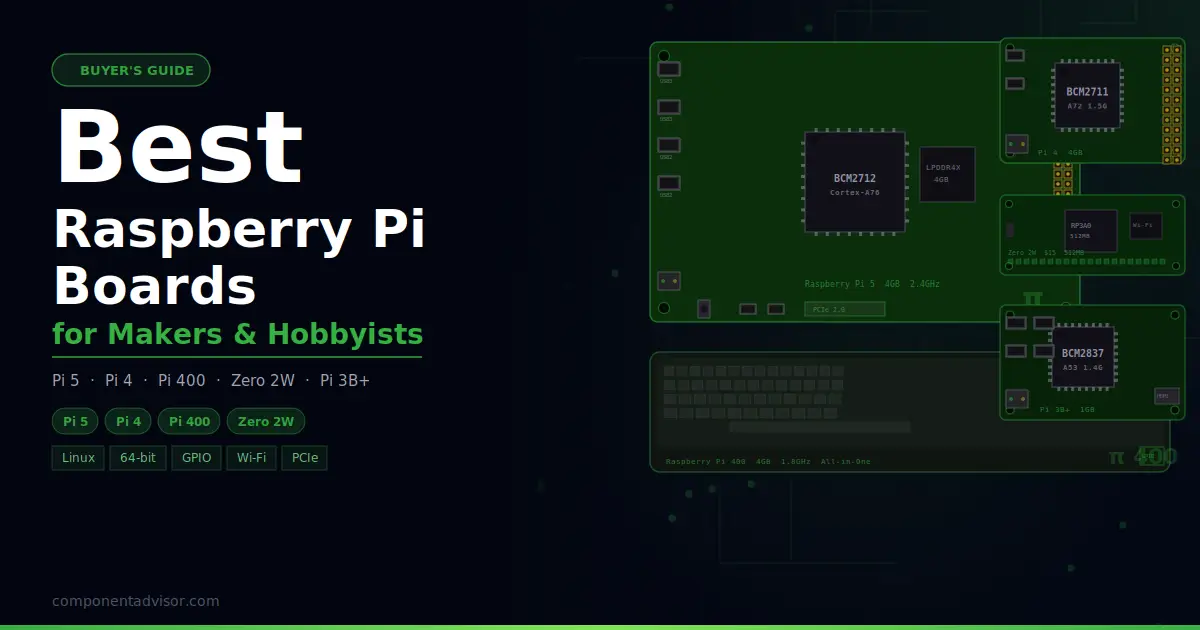
This guide covers five current Raspberry Pi models: the flagship Pi 5, the workhorse Pi 4, the all-in-one Pi 400, the ultra-compact Zero 2W, and the budget-friendly Pi 3B+. Each one serves a different type of builder. There’s also a section at the end explaining how the models compare, what the RAM shortage means for buyers right now, and where Raspberry Pi fits alongside Arduino and ESP32 in a hobbyist’s toolkit.
Also on ComponentAdvisor: Best ESP32 Development Boards and Best Arduino Boards for Beginners
Quick Comparison Table
| Board | CPU | RAM | Wi-Fi | USB | Best For |
|---|---|---|---|---|---|
| Raspberry Pi 5 (4GB) | Cortex-A76 quad @ 2.4GHz | 4GB LPDDR4X | Wi-Fi 5 | 2x USB 3.0, 2x USB 2.0 | Best overall, desktop use, demanding projects |
| Raspberry Pi 4 Model B (4GB) | Cortex-A72 quad @ 1.5GHz | 4GB LPDDR4 | Wi-Fi 5 | 2x USB 3.0, 2x USB 2.0 | Best value, widest compatibility, servers |
| Raspberry Pi 400 | Cortex-A72 quad @ 1.8GHz | 4GB LPDDR4 | Wi-Fi 5 | 2x USB 3.0, 1x USB 2.0 | Best all-in-one desktop, education |
| Raspberry Pi Zero 2W | Cortex-A53 quad @ 1GHz | 512MB LPDDR2 | Wi-Fi 4 | 1x micro USB OTG | Best compact, low-power, embedded/IoT |
| Raspberry Pi 3 Model B+ | Cortex-A53 quad @ 1.4GHz | 1GB LPDDR2 | Wi-Fi 4/5 | 4x USB 2.0 | Best budget, learning, retro gaming |
1. Best Overall: Raspberry Pi 5 (4GB)
Raspberry Pi 5 (4GB RAM)
Best for: Desktop computing, media servers, AI projects, emulation, and any build that needs real processing power from a credit-card-sized board.

The Raspberry Pi 5 is a meaningful generational leap over the Pi 4. The Broadcom BCM2712 processor uses Arm Cortex-A76 cores running at 2.4GHz, which is roughly two to three times faster in real-world tasks than the Cortex-A72 in the Pi 4. That difference is noticeable: web browsing is smoother, compiling code is faster, and tasks that pushed the Pi 4 hard run comfortably on the Pi 5. There’s also a PCIe 2.0 interface exposed via a dedicated connector, which lets you attach an NVMe SSD through the official M.2 HAT, turning the Pi 5 into a genuinely quick little server or desktop machine.
The 4GB variant is the practical sweet spot. The 1GB and 2GB models work for headless applications but feel constrained the moment you open a browser or run multiple services. The 8GB and 16GB models have been hit hardest by the ongoing LPDDR4 shortage: the 16GB Pi 5 launched at $120 and has since climbed considerably. At 4GB you get enough memory for most use cases without paying the premium that higher-density models currently carry.
One thing worth knowing upfront: the Pi 5 runs warmer than the Pi 4 under load. Active cooling is strongly recommended. The official Active Cooler clips directly onto the board and keeps temperatures in check during sustained workloads. Running the Pi 5 without any cooling will trigger thermal throttling quickly.
Specifications:
- SoC: Broadcom BCM2712, quad-core Arm Cortex-A76 @ 2.4GHz
- RAM: 4GB LPDDR4X-4267
- GPU: VideoCore VII, OpenGL ES 3.1, Vulkan 1.2
- Storage: microSD + PCIe 2.0 x1 (M.2 NVMe via HAT)
- Wi-Fi: 802.11ac dual-band (Wi-Fi 5), Bluetooth 5.0
- Ethernet: Gigabit
- USB: 2x USB 3.0, 2x USB 2.0
- Video: 2x micro HDMI (up to 4Kp60)
- GPIO: 40-pin standard header
- Power: 5V 5A via USB-C (27W recommended)
Why it stands out:
- 2-3x real-world performance improvement over Pi 4
- PCIe 2.0 connector enables NVMe SSD for fast storage boot
- Real-time clock with battery backup header onboard
- Dedicated power button header
- Fastest Pi available in a standard form factor
Things to keep in mind:
- Requires active cooling, runs hot under sustained load
- Needs a proper 5A USB-C supply for full performance
- Higher-RAM variants (8GB, 16GB) significantly more expensive due to LPDDR4 shortage
- M.2 NVMe support requires the separately purchased M.2 HAT
👉 Buy Raspberry Pi 5 4GB on Amazon
Verdict: The Pi 5 is the right choice for any project that demands real computing muscle. For desktop use, media servers, lightweight AI inference, or anything that pushed the Pi 4 to its limits, the Pi 5 at 4GB is where to start.
2. Best Value: Raspberry Pi 4 Model B (4GB)
Raspberry Pi 4 Model B (4GB RAM)
Best for: Home servers, NAS builds, retro gaming, classroom setups, and builders who want maximum software compatibility at a lower price than the Pi 5.

The Pi 4 remains one of the most capable and best-documented single-board computers ever made. It runs cooler than the Pi 5, draws less power under sustained load (roughly 6-8W versus 12-15W), and has an enormous body of tutorials, guides, and community resources built up over years. The Raspberry Pi Foundation has committed to manufacturing the Pi 4 until at least 2034, which means software support and community help will be around for a long time.
The Pi 4’s performance is genuinely good. It handles 1080p media streaming without breaking a sweat, runs Pi-hole, Home Assistant, and lightweight web servers comfortably, and manages retro emulation up to PlayStation 1 and Nintendo 64 well. Where it shows its age is in the web browser: modern JavaScript-heavy pages push the Cortex-A72 harder than it would like, and you’ll feel the difference compared to the Pi 5 on desktop tasks. For headless server work, that gap largely disappears.
One lingering quirk of the Pi 4 is the micro HDMI connectors, which feel flimsy compared to the full-size HDMI on older boards. Have a micro HDMI cable ready before you start, and treat the port gently.
Specifications:
- SoC: Broadcom BCM2711, quad-core Arm Cortex-A72 @ 1.5GHz
- RAM: 4GB LPDDR4-3200
- GPU: VideoCore VI, OpenGL ES 3.0
- Storage: microSD, USB boot supported
- Wi-Fi: 802.11ac dual-band (Wi-Fi 5), Bluetooth 5.0
- Ethernet: Gigabit
- USB: 2x USB 3.0, 2x USB 2.0
- Video: 2x micro HDMI (up to 4Kp60)
- GPIO: 40-pin standard header
- Power: 5V 3A via USB-C
Why it stands out:
- Enormous community, tutorials, and HAT ecosystem
- Lower power draw than Pi 5, better for always-on servers
- Runs cooler, passive heatsink often sufficient for moderate workloads
- USB 3.0 boot from SSD works well and improves reliability over SD card
- Committed manufacturing until 2034
Things to keep in mind:
- Noticeably slower than Pi 5 on desktop and browser tasks
- Micro HDMI connectors are fragile, handle carefully
- No PCIe connector, NVMe not natively supported
- Higher RAM variants (4GB, 8GB) affected by recent price increases
👉 Buy Raspberry Pi 4 Model B 4GB on Amazon
Verdict: The Pi 4 is the safe, proven choice when maximum software compatibility and a mature ecosystem matter more than peak performance. For home lab servers and always-on applications, its lower power draw compared to the Pi 5 is a practical advantage.
3. Best All-in-One: Raspberry Pi 400
Raspberry Pi 400 Personal Computer
Best for: Desktop computing, education, first-time Pi users, and anyone who wants a complete computer without hunting for a keyboard, case, and cooling solution separately.

The Pi 400 puts a Pi 4 computer inside a compact keyboard. You plug in power, a display, and a mouse, and you have a working desktop. No separate case, no thermal management concerns (the large keyboard frame acts as a heatsink), no GPIO pin headers in the way. It uses the same BCM2711 processor as the Pi 4 but runs at a slightly higher clock speed of 1.8GHz instead of 1.5GHz, and 4GB of RAM is the only configuration available.
The Pi 400 has been specifically shielded from the RAM pricing increases that have hit the Pi 4 and Pi 5 variants. At $60, it’s currently one of the best value Raspberry Pi products available. The keyboard is compact but usable, with a layout that will feel familiar to anyone who has used a laptop keyboard. It includes a 40-pin GPIO ribbon cable connector at the back, so hardware projects are still possible, just slightly less convenient than with a bare board.
This is the Raspberry Pi that makes the most sense as a first computer for a younger learner, or for anyone who wants to set up a retro gaming station or light desktop without fussing over accessories. The Pi 400 kit (sold separately) bundles a mouse, micro HDMI cable, USB-C power supply, and SD card, making it genuinely plug-and-play.
Specifications:
- SoC: Broadcom BCM2711, quad-core Arm Cortex-A72 @ 1.8GHz
- RAM: 4GB LPDDR4-3200
- GPU: VideoCore VI, OpenGL ES 3.0
- Storage: microSD slot
- Wi-Fi: 802.11ac dual-band (Wi-Fi 5), Bluetooth 5.0
- Ethernet: Gigabit
- USB: 2x USB 3.0, 1x USB 2.0
- Video: 2x micro HDMI (up to 4Kp60)
- GPIO: 40-pin via ribbon connector at rear
- Form factor: 286 x 122 x 23mm keyboard
Why it stands out:
- Complete computer in a keyboard, no case or cooling needed
- 1.8GHz clock speed slightly faster than standard Pi 4
- Price held at $60 despite wider Pi 4/5 price increases
- GPIO accessible via ribbon cable connector, hardware projects still possible
- Thermal management handled by the keyboard chassis
Things to keep in mind:
- GPIO connector is less accessible than a bare board for electronics projects
- No camera or display connector (CSI/DSI) on the unit
- Less portable for GPIO-heavy maker projects than a bare Pi 4
- Mouse not included with the board-only purchase
👉 Buy Raspberry Pi 400 on Amazon
Verdict: The Pi 400 is the most practical entry point for anyone who wants a working Raspberry Pi desktop without sourcing accessories separately. At $60 with its price protected, it’s also currently one of the best deals in the Pi lineup.
4. Best Compact and Low-Power: Raspberry Pi Zero 2W
Raspberry Pi Zero 2W
Best for: Embedded IoT devices, battery-powered projects, wearables, headless sensors, and any build where size and power consumption matter more than raw speed.

The Zero 2W is a remarkable piece of hardware for $15. It measures 65 x 30mm, roughly the size of a stick of gum, runs the same quad-core Arm Cortex-A53 processor as the Pi 3, draws under 1W at idle, and includes Wi-Fi and Bluetooth. For embedded applications, that combination is hard to beat. Running Pi-hole, a sensor logger, a plant watering controller, or a small home automation node from a Zero 2W makes both practical and financial sense when you don’t need the horsepower of a full Pi.
The 512MB RAM limit is the main constraint to plan around. A desktop environment is technically possible but uncomfortable. The Zero 2W is at its best running headless with a lightweight Linux image: Raspberry Pi OS Lite works well, and the reduced memory footprint leaves more headroom for your application. SSH access over Wi-Fi is the standard workflow for most Zero 2W projects.
Hardware connections require some soldering on the base model: the GPIO pins are unpopulated and the micro USB and mini HDMI connectors are non-standard sizes. Budget time or money for adapters and headers before starting. Like the Pi 3B+, the Zero 2W uses LPDDR2 memory, which means it has been completely unaffected by the LPDDR4 shortage: price remains at $15 and the Raspberry Pi Foundation has stated no changes are expected.
Specifications:
- SoC: RP3A0, Arm Cortex-A53 quad-core @ 1GHz (Broadcom BCM2710A1 die)
- RAM: 512MB LPDDR2
- GPU: VideoCore IV
- Storage: microSD
- Wi-Fi: 802.11b/g/n (Wi-Fi 4, 2.4GHz only), Bluetooth 4.2
- USB: 1x micro USB OTG
- Video: 1x mini HDMI
- GPIO: 40-pin (unpopulated, requires soldering)
- Power: 5V via micro USB
- Dimensions: 65 x 30mm
Why it stands out:
- $15 price is completely unaffected by the current RAM shortage
- Smallest and most power-efficient Pi in the lineup
- Quad-core performance in a form factor barely larger than the original single-core Zero
- Perfect for always-on low-power applications: Pi-hole, sensors, home automation nodes
- Large ecosystem of Zero-compatible cases and HATs
Things to keep in mind:
- 512MB RAM limits to headless/lightweight workloads
- GPIO pins shipped unpopulated, soldering required
- Wi-Fi 4 only, 2.4GHz only, no gigabit ethernet
- Micro USB and mini HDMI require adapters most people don’t have on hand
- Slower than Pi 3B+ in single-threaded tasks
👉 Buy Raspberry Pi Zero 2W on Amazon
Verdict: The best choice when size, power draw, and cost all need to be minimal. At $15 with full Linux capability and Wi-Fi built in, the Zero 2W is still one of the most capable things you can buy for that price in the maker ecosystem.
5. Best Budget Option: Raspberry Pi 3 Model B+
Raspberry Pi 3 Model B+
Best for: Learning Linux on a budget, retro gaming with RetroPie, classroom projects, and builds that don’t need USB 3.0 or gigabit ethernet.

The Pi 3B+ was the flagship board before the Pi 4 launched in 2019 and it has aged reasonably well. The Cortex-A53 processor at 1.4GHz handles retro emulation up to the Super Nintendo and early PS1 era comfortably, runs lightweight servers, drives kiosk displays, and works well as a learning platform for anyone getting started with Linux. It also has four full-size USB 2.0 ports, which is more useful than it sounds when you’re setting up a retro gaming station with controllers.
The Pi 3B+ uses LPDDR2 memory and has been completely untouched by the 2025-2026 pricing increases. The Raspberry Pi Foundation has confirmed no price changes are planned for the 3B+, and manufacturing continues. For buyers who want a Pi for simple tasks and don’t want to pay Pi 4 or Pi 5 prices, this is a valid choice. Just be aware that 1GB of RAM is a ceiling you’ll bump against if you try to run a modern desktop environment with a browser open.
Community support for the Pi 3B+ remains excellent. Years of tutorials, forum posts, and project guides exist for this board. If you’re following an older course or tutorial series, there’s a good chance it was written for the Pi 3 and will work without modification.
Specifications:
- SoC: Broadcom BCM2837B0, quad-core Arm Cortex-A53 @ 1.4GHz
- RAM: 1GB LPDDR2
- GPU: VideoCore IV
- Storage: microSD
- Wi-Fi: 802.11ac dual-band (Wi-Fi 5), Bluetooth 4.2, BLE
- Ethernet: 300Mbps (USB 2.0 bus limited)
- USB: 4x USB 2.0
- Video: 1x full-size HDMI (up to 1080p)
- GPIO: 40-pin
- Power: 5V via micro USB
Why it stands out:
- Full-size HDMI port, no adapter needed
- 4x USB 2.0 ports are convenient for desktop and gaming setups
- Price unaffected by LPDDR4 shortage
- Enormous library of tutorials and community resources
- Runs RetroPie, Kodi, Pi-hole, and most entry-level server applications well
Things to keep in mind:
- 1GB RAM is a firm ceiling, browser and desktop use is uncomfortable
- USB 2.0 only, gigabit ethernet capped at ~300Mbps by USB bus
- Noticeably slower than Pi 4 and Pi 5 in any demanding task
- No USB boot, relies on microSD which can be a reliability weak point
- Power delivery via micro USB is less robust than USB-C
👉 Buy Raspberry Pi 3 Model B+ on Amazon
Verdict: A reasonable budget choice for simple learning projects, retro gaming builds, and anyone following older tutorials. For anything performance-sensitive or memory-constrained, the Pi 4 is worth the extra cost.
Which Raspberry Pi Should You Buy?
For most people buying a Pi in 2026, the Raspberry Pi 4 Model B (4GB) or the Raspberry Pi 5 (4GB) is the right answer depending on budget and use case. The Pi 5 is faster and more capable, but the Pi 4 draws less power, runs cooler, and costs less at the 4GB tier. If your project is a home server or always-on appliance, the Pi 4’s lower idle wattage adds up over time. If it’s a desktop replacement or a demanding media server, the Pi 5 is worth the difference.
The Pi 400 deserves more attention than it usually gets. At $60 with a price protected from the current RAM increases, it’s a complete computer with no assembly required. For educators, first-time Pi users, and anyone who wants to hand a working computer to someone without explaining GPIO headers and power supplies, it’s the most practical option in the lineup.
For compact and embedded work, the Zero 2W is the only sensible choice. $15, quad-core Linux, Wi-Fi built in, and under 1W idle. Nothing else in the Pi family comes close for that use case.
The Pi 3B+ is worth considering only if price is genuinely the primary constraint, or if you’re following tutorial content specifically written for it.
Understanding the Raspberry Pi Lineup: What to Know Before Buying
SBC vs microcontroller: Every board in this guide is a single-board computer running Linux. This is fundamentally different from a microcontroller like an Arduino or ESP32. A Raspberry Pi boots an operating system, handles multiple processes, connects to networks, and runs Python, Node.js, or any Linux software. An Arduino or ESP32 runs a single program bare-metal with no OS, reacts to hardware in microseconds, and uses milliwatts of power. They’re complementary tools: a Pi handles the high-level logic and connectivity, an Arduino or ESP32 handles the low-level real-time hardware control. Many projects use both together.
The 2025-2026 RAM shortage: The Raspberry Pi Foundation has been transparent about what’s happening. LPDDR4 memory costs rose steeply through 2025 and into 2026, driven by AI infrastructure demand pulling supply away from other markets. Pi models using LPDDR4 (Pi 4 and Pi 5 with 2GB or more) have seen multiple price increases since October 2025. Models using older LPDDR2 memory (Pi Zero, Pi 3B+) have been completely shielded. The Foundation has stated prices will come down once market conditions normalize, but the timeline is uncertain. For buyers right now, the practical advice is to buy the minimum RAM your project actually needs rather than speculating on headroom.
How much RAM do you actually need: For headless server use (Pi-hole, Home Assistant, a media server), 2GB is often sufficient and 4GB is comfortable. For desktop use with a browser, 4GB is the minimum that feels smooth. For anything involving local AI inference, video encoding, or running Docker containers with multiple services, 8GB starts to make sense. The 16GB model is currently priced beyond what most hobbyist projects can justify.
microSD vs SSD boot: Every Pi in this guide can boot from a microSD card. The Pi 4 and Pi 5 can also boot from a USB-attached SSD, which is significantly faster and more reliable for server use. microSD cards fail under heavy write loads over time. For always-on servers, USB SSD boot on a Pi 4, or NVMe via the M.2 HAT on a Pi 5, is worth the setup effort.
GPIO and HATs: All full-size Pi boards (3B+, 4, 5, and the 400 via ribbon cable) share the same 40-pin GPIO header layout. Most HATs designed for the Pi 4 work on the Pi 5, though a few timing-sensitive ones may need firmware updates. The Pi Zero 2W uses the same 40-pin layout in a smaller footprint, so Zero-specific HATs fit but full-size HATs overhang the board.
Final Recommendation
Of all the best Raspberry Pi boards available in 2026, the Raspberry Pi 4 Model B (4GB) remains the most balanced choice: proven performance, excellent software support, a vast community, and lower power draw than the Pi 5 for server and always-on use. If you need more performance for desktop work, media transcoding, or local AI, the Raspberry Pi 5 (4GB) is the upgrade worth making.
For compact projects and IoT builds, the Raspberry Pi Zero 2W is hard to argue with at $15 with full Wi-Fi and Linux capability.
If you’re moving between Pi and microcontroller projects or want to understand where each tool fits, the ESP32 Development Boards guide on ComponentAdvisor covers the microcontroller side of the same hobbyist ecosystem.
Related on ComponentAdvisor: Best ESP32 Development Boards · Best Arduino Boards for Beginners · Best ESP32 Starter Kits · Best Arduino Sensor Kits