
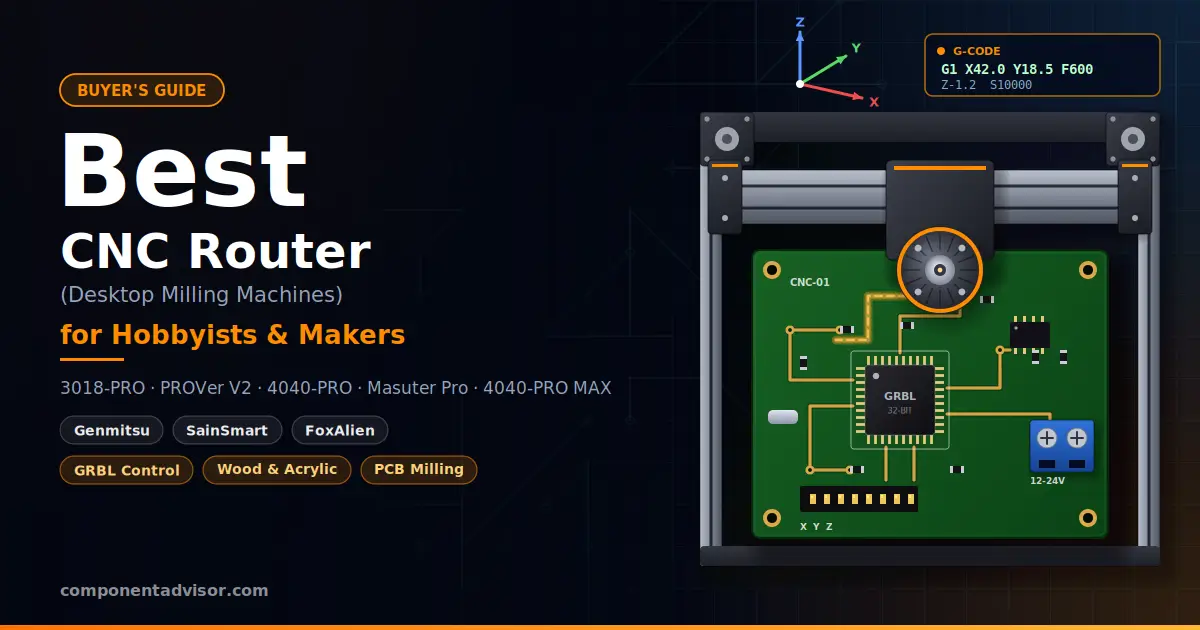
Finding the best CNC router for hobbyists comes down to one question: how much size and rigidity do you actually need? A desktop CNC router is a computer-controlled milling machine that moves a spinning cutter along three axes to carve wood, engrave acrylic, mill circuit boards and cut soft plastics. It is the tool you reach for when a 3D printer can’t give you the finish, the material or the strength you want.
For this audience there is a bonus. Most hobby machines run GRBL, an open-source motion firmware that started life on Arduino boards. If you already tinker with Arduino, stepper drivers and G-code, a CNC router is a natural next step, and the same ideas carry straight over.
This guide compares five machines from Genmitsu and FoxAlien, all GRBL-based and all sold on Amazon. They range from compact 3018-class starters to 400 x 400 mm machines with linear rails and a 710W router. We left out diode laser engravers, since they solve a different problem and belong in their own guide.
Building the electronics side of a machine? See our guides to the best stepper motor driver for Arduino and the best bench power supply.
Quick Comparison Table
| Model | Work Area | Controller | Standout Feature | Best For |
|---|---|---|---|---|
| Genmitsu 3018-PRO | 300 x 180 x 45 mm | GRBL, offline controller | Lowest entry point | First CNC, PCB engraving, soft materials |
| Genmitsu 3018-PROVer V2 | About 300 x 180 mm | GRBL | Z-probe, limit switches, E-stop | Beginners who want a safer, repeatable setup |
| Genmitsu 4040-PRO | 400 x 400 mm class | GRBL | Lead-screw drive, larger bed | Bigger projects and signs |
| FoxAlien Masuter Pro | 400 x 400 mm class | GRBL | All-metal frame, linear rail Z-axis | Sturdier mid-size builds |
| Genmitsu 4040-PRO MAX | 410 x 405 x 77 mm | GRBL | 710W trimmer, linear guideways | Hardwood and harder materials |
1. Best Budget Starter: Genmitsu 3018-PRO
Genmitsu CNC 3018-PRO Router Kit
Best for: First-time buyers who want the lowest-cost way to learn CNC, engrave PCBs and cut soft materials.

The 3018-PRO is the machine most people picture when they hear “hobby CNC.” It is a compact three-axis kit with a 300 x 180 x 45 mm work area, GRBL control and an offline controller in the box. The listing positions it for wood, acrylic, PCB and PVC, and that footprint is enough for PCB blanks, nameplates, small brackets and engraved signs.
Because it runs GRBL, it works with the free senders and CAM tools used across the hobby, so the skills you build here carry over to bigger machines. It is also the machine that will teach you its limits quickly: the bed is small and the frame is light, which is exactly why it is cheap.
Specifications:
- Work area: 300 x 180 x 45 mm
- Axes: 3-axis
- Control: GRBL, offline controller included (per the listing title)
- Target materials per the listing: wood, acrylic, PCB, PVC
Why it stands out:
- The lowest entry point in this guide, so a beginner mistake costs the least
- The offline controller lets you run a job without keeping a computer attached
- Small enough to live on a desk or shelf
- GRBL means free software and a large community to borrow settings from
Things to keep in mind:
- Reviewers note that 3018-class frames flex under load, so plan shallow passes and slower feeds
- The listing title doesn’t mention limit switches, a Z-probe or an E-stop, which is the main thing the PROVer V2 adds
- The small bed rules out larger panels and signs
👉 Buy Genmitsu 3018-PRO on Amazon
Verdict: If your goal is to find out whether CNC is for you, this is the lowest-risk way in. Accept that you are buying a learning machine, not a workhorse.
2. Best Starter With Safety Hardware: SainSmart Genmitsu 3018-PROVer V2
SainSmart Genmitsu 3018-PROVer V2 CNC Router Machine
Best for: Beginners who want homing, probing and an emergency stop built in from day one.

The PROVer V2 keeps the 3018 footprint but adds the hardware that makes a CNC machine easier to live with. The listing highlights a Z-probe, limit switches and an E-stop. Limit switches let the machine find its own home position after every power-up, so your work coordinates stay repeatable. The probe sets the Z zero from the top of your material instead of by eye, and the E-stop gives you a fast way to cut motion if a bit snags.
Reviews describe a GRBL controller and a replaceable 775-class DC spindle motor. That matches the usual 3018 recipe, so you get the same small, desk-friendly machine with better workflow. The same caution applies to rigidity, though: the frame is the weak point on every machine in this size class.
Specifications:
- Work area: roughly 300 x 180 mm (sources quote both 290 x 180 x 40 mm and 300 x 180 x 45 mm, so check the listing)
- Control: GRBL
- Safety and setup hardware: Z-probe, limit switches, E-stop (per the listing title)
- Spindle: 775-class DC motor, per reviews
Why it stands out:
- Limit switches enable homing, which makes jobs repeatable
- The Z-probe takes guesswork out of setting tool height
- An E-stop within reach is a real comfort when you are new
- Same GRBL ecosystem and desk-friendly size as the 3018-PRO
Things to keep in mind:
- Offline controller availability varies by bundle, so check what ships with the version you order
- Reviewers note the same frame flex under load as other 3018-class machines
- The work area figures differ between sources, so confirm on the listing
👉 Buy SainSmart Genmitsu 3018-PROVer V2 on Amazon
Verdict: For most beginners this is the better 3018 to buy. Homing, probing and an E-stop are the features you will miss most if you skip them.
3. Best Step-Up Size: Genmitsu 4040-PRO
Genmitsu 4040-PRO CNC Router Machine
Best for: Makers ready to move past a desk-sized bed to signs, panels and larger parts.

The 4040-PRO is Genmitsu’s middle-tier machine: larger than the 3018 series and less expensive than its heavier machines. The listing describes a lead-screw-driven, 3-axis router with GRBL control and a work area of about 17 inches in the long direction. SainSmart lists a 400 x 400 x 78 mm work area, and one reviewer measured roughly 434 x 403.5 x 77 mm, so expect a 400 mm-class bed with some variation between sources.
That bed more than doubles the area of a 3018, which opens up cutting boards, signs, enclosures and larger PCB panels. Genmitsu’s listings also mention support for a rotary axis, and a reviewer notes the machine can grow with extension kits.
Specifications:
- Work area: 400 x 400 mm class (listing title cites 17.1 inches)
- Drive: lead screw
- Control: GRBL, 3-axis
- Materials: wood, acrylic, MDF and nylon, with listings also naming aluminum
Why it stands out:
- A much larger bed than any 3018-class machine
- Lead screw drive on a mid-size frame
- Supports a rotary axis and extension kits for growth
- Same GRBL workflow you may already know from a 3018
Things to keep in mind:
- One reviewer lists the footprint at about 700 x 700 mm, so measure your workspace first
- Spindle details and bundle contents vary between listings, so confirm what ships with your version
- Aluminum is possible only with light, slow passes on a lead-screw machine
👉 Buy Genmitsu 4040-PRO on Amazon
Verdict: A sensible next step when 3018 limits start to hurt. It gives you real working space without jumping to the priciest machine in the lineup.
4. Best All-Metal Frame: FoxAlien Masuter Pro
FoxAlien Masuter Pro 3-Axis CNC Router Machine
Best for: Hobbyists who want a sturdier all-metal build in the 400 x 400 mm class.

The Masuter Pro is FoxAlien’s answer to the 4040 class. The listing calls out an all-metal structure and targets wood, acrylic, MDF and nylon. Roundups describe a work area of about 15.7 x 15.7 inches, GRBL control, a linear rail on the Z-axis and a bundled spindle. Listing copy also mentions a work light and hand-adjustable knobs on each stepper motor, which are small touches that help during setup.
If you have been put off by the idea of a light, flexible frame, this is the machine to look at. A metal structure with a linear rail on Z is the kind of upgrade that tends to matter once you start cutting deeper.
Specifications:
- Structure: all-metal, per the listing title
- Work area: 400 x 400 mm class (about 15.7 x 15.7 inches per roundups)
- Control: GRBL
- Z-axis: linear rail, per roundups
- Materials per the listing: wood, acrylic, MDF, nylon
Why it stands out:
- All-metal frame in a 400 mm-class bed
- Linear rail on the Z-axis
- Work light and hand-adjustable stepper knobs
- Aimed squarely at beginners, per the listing title
Things to keep in mind:
- FoxAlien sells similarly named models (Masuter 4040, Masuter Pro, Masuter 3S), so match the exact listing title before you order
- Sources quote different spindle wattages, so confirm on the listing
- It is open-frame like the rest, so plan for dust collection and ear protection
👉 Buy FoxAlien Masuter Pro on Amazon
Verdict: Pick this if build quality is your priority and you want a mid-size machine that feels like a step up from plastic and extrusion. Double-check the exact variant before checkout.
5. Best Upgrade for Harder Materials: SainSmart Genmitsu 4040-PRO MAX
SainSmart Genmitsu 4040-PRO MAX CNC Router With 710W Trimmer
Best for: Makers who want stiffer motion and more spindle power for hardwood and tougher cuts.

The 4040-PRO MAX is where this guide stops being entry-level. The listing specifies a 710W trimmer, a linear-rail-driven design and a 410 x 405 x 77 mm work area with GRBL control. SainSmart’s own page describes an upgraded X and Z axis with linear guideways, NEMA 17 motors and a 32-bit controller board, plus about 100 mm of clearance height for thicker stock.
Compared with the plain 4040-PRO, the MAX adds stiffness and spindle power, which is what lets you take deeper cuts in hardwood and attempt more demanding materials. That extra capability comes with a bigger commitment in space, noise and cost.
Specifications:
- Work area: 410 x 405 x 77 mm (per the listing title)
- Spindle: 710W trimmer router
- Motion: linear rail driven, with upgraded X and Z axes per SainSmart
- Control: GRBL
- Clearance height: about 100 mm per SainSmart
Why it stands out:
- The strongest spindle in this guide
- Linear guideways on X and Z for stiffer motion
- Extra clearance height for thicker material
- Same GRBL workflow, so skills from smaller machines transfer
Things to keep in mind:
- It is the most expensive machine here, and likely more than a first-time buyer needs
- A 710W router is loud, so plan for ear protection and dust control
- Check what is in the box, since bits and workholding are often extra
👉 Buy SainSmart Genmitsu 4040-PRO MAX on Amazon
Verdict: The right choice if you already know you will cut hardwood or want headroom to grow. If your projects are PCBs and small plastic parts, it is more machine than you need.
Which CNC Router for Hobbyists Should You Buy?
Start by asking what you want to cut and how big it is. If you want to engrave PCBs, make small plastic parts or simply find out whether you enjoy CNC, a 3018-class machine is plenty. Between the two, the PROVer V2 is usually the better buy for beginners because limit switches, a Z-probe and an E-stop make the learning curve gentler. The 3018-PRO only makes sense if keeping the cost as low as possible is the deciding factor.
If you keep running into the size limit, the 4040 class is the logical step. The Genmitsu 4040-PRO and FoxAlien Masuter Pro both offer a 400 mm-class bed, so the choice comes down to build philosophy. The 4040-PRO is a lead-screw machine with a good upgrade path, while the Masuter Pro leans on its all-metal structure and linear Z-axis. Either one is a big jump in capability from a 3018, but both need real workshop space.
The 4040-PRO MAX is for buyers who already know they will cut hardwood or want the stiffest motion in this lineup. A 710W router asks more of you in noise, dust and safety gear, so treat it as a second machine or a deliberate commitment rather than a first purchase.
One more honest point: if all you plan to do is mill small PCBs, skip the 4040s entirely. A smaller machine will do that job well, and the savings are better spent on end mills, clamps and a dust solution.
GRBL, G-code and Arduino: What Runs a Hobby CNC Router
Every machine in this guide takes G-code, a plain-text list of moves such as “go to this X and Y, then plunge to this depth.” You rarely write it by hand. The usual workflow is to draw a part in a CAD or design program, generate toolpaths in CAM software, then send the resulting G-code to the machine with a sender program. Free options such as Candle, Universal G-code Sender and Carbide Create are widely used with GRBL machines.
GRBL is the firmware that turns those commands into motion. It was built for Arduino-class boards, and a classic DIY setup is an Arduino Uno with a CNC shield and A4988 or DRV8825 stepper drivers. The machines here use GRBL-compatible controllers, and SainSmart lists the 4040-PRO MAX with a 32-bit controller, so the same ideas apply even though the hardware differs.
A few settings are worth understanding early. Steps per millimeter tells GRBL how far each motor step moves an axis. Homing uses the limit switches to find a known position, and probing sets your Z zero from the material surface. Getting these right is what makes a job land where you expect it to.
Safety and Setup Basics Before Your First Cut
A hobby CNC router spins a cutter at high speed, and open-frame machines throw chips and dust everywhere. Wear eye and ear protection every time, and never leave a running machine unattended.
Clamp your material firmly, since a workpiece that shifts mid-cut can break a bit or damage the machine. Start with soft, forgiving stock such as MDF or plastic, take shallow passes, and do an “air cut” first, running the program above the material to confirm the path looks right.
If you mill PCBs, remember that fiberglass dust is unpleasant to breathe, so use a vacuum or dust shoe and keep the area clean. Keep the E-stop reachable, and learn how to power the machine down before you need to.
Final Recommendation
If you want to learn CNC without overspending, the SainSmart Genmitsu 3018-PROVer V2 is the pick, because homing, probing and an E-stop make early mistakes cheaper. If you already know you need a bigger bed, the Genmitsu 4040-PRO is the practical step up, while the FoxAlien Masuter Pro suits buyers who want an all-metal frame. Either way, the best CNC router for hobbyists is the one that matches the size and material of your first real project, not the one with the longest spec sheet. To understand the motors doing the work, start with ArduinoYard’s 28BYJ-48 stepper motor guide, and pair it with the beginner’s guide to PCB soldering if you plan to mill your own boards.
Keep building: Best Soldering Kits for Beginners, Best Helping Hands Soldering Tool, Best Multimeter for Electronics Beginners and Best Electronics Learning Kits.